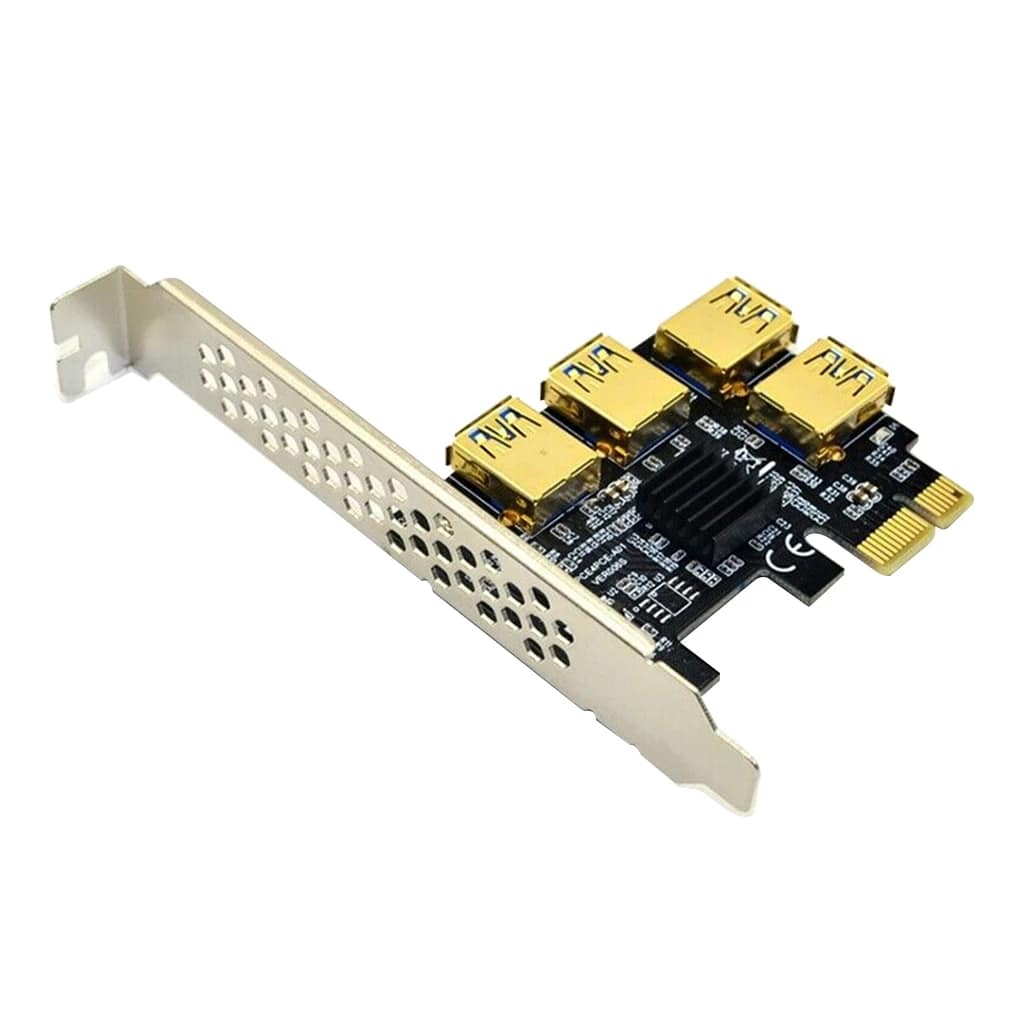
PCIe 1x to 4-Port USB 3.0 Multiplier Card – Multi-GPU Expansion for AI, Rendering & Compute
$11.66
$21.21
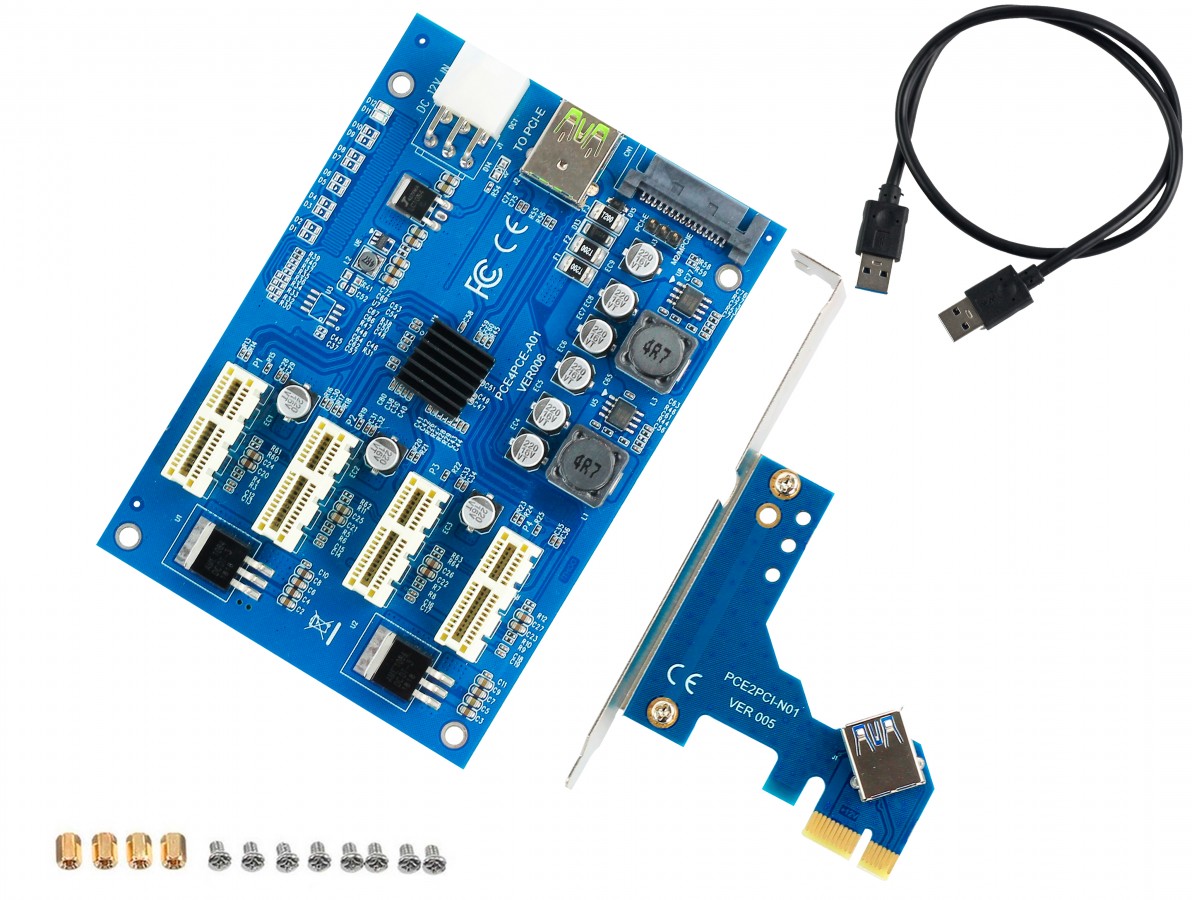
Description �� MULTI-GPU EXPANSION FOR AI & COMPUTE Connect up to 4 GPUs using a single PCIe 1x slot PCIe 1x to 4-Port USB 3.0 Multiplier Card Unlock the power of multi-GPU computing with this professional-grade PCIe expansion card. Connect up to 4 graphics cards to a single PCIe 1x slot using USB 3.0 riser cables, enabling parallel processing for AI training, 3D rendering, scientific simulations, and compute-intensive workloads. �� Perfect For Modern GPU Computing The explosion of AI, machine learning, and GPU rendering has created huge demand for multi-GPU systems. This card lets you build powerful workstations without expensive server motherboards. Modern Applications �� AI & Machine Learning LLM training (Llama, Mistral, etc.) Stable Diffusion image generation TensorFlow/PyTorch multi-GPU Deep learning experiments ComfyUI / Automatic1111 setups �� 3D Rendering & Graphics Blender GPU rendering farms Octane/Redshift render nodes Video encoding/transcoding DaVinci Resolve acceleration After Effects multi-GPU �� Scientific Computing CUDA parallel processing Molecular dynamics simulations Climate modeling Protein folding (Folding@home) Mathematical computations ⛏️ Cryptocurrency Mining Ethereum mining (ETH) Alternative coin mining GPU mining rigs Mining farm expansion Dual mining setups How It Works Install the card in any available PCIe 1x, 4x, 8x, or 16x slot Connect USB 3.0 riser cables to the 4 USB ports on the card Attach your GPUs to the other end of the riser cables Power the GPUs with your PSU (6-pin/8-pin connectors) Start computing – your system will detect all GPUs automatically Note: USB 3.0 riser cables sold separately (see our other listings) Technical Specifications Interface PCIe 1x (compatible with 4x, 8x, 16x slots) Output Ports 4x USB 3.0 (gold-plated connectors) Maximum GPUs 4 graphics cards (with USB riser cables) PCIe Bandwidth PCIe 1x per GPU (sufficient for compute/mining) Compatible GPUs NVIDIA (RTX 40/30/20 series, GTX), AMD (RX 7000/6000/5000), Intel Arc Operating Systems Windows 10/11, Linux, Ubuntu, HiveOS, RaveOS Power Draws power from PCIe slot (GPUs need separate PSU power) Form Factor Standard height low-profile bracket included Chipset PCIe switch chipset for signal distribution Dimensions Approx. 120mm x 70mm (standard PCIe card size) Key Features ✅ 4x USB 3.0 Ports: Gold-plated connectors for reliable signal transmission ✅ PCIe 1x Interface: Works in any PCIe slot (1x, 4x, 8x, 16x) ✅ Plug & Play: Automatic GPU detection, no drivers needed for basic operation ✅ Multi-GPU Support: Run 4 GPUs simultaneously for parallel processing ✅ Low-Profile Option: Includes bracket for compact/slim cases ✅ Universal Compatibility: Works with NVIDIA, AMD, and Intel GPUs ✅ Stable Signal: PCIe switch ensures reliable communication to all 4 GPUs ✅ Cost-Effective: Build multi-GPU systems without expensive server motherboards What You Need for a Complete Setup �� Required Components (Not Included) USB 3.0 Riser Cables: 4x riser cables (one per GPU) – see our other listings Power Supply: Sufficient wattage for all GPUs (600W recommended for 4 GPUs) Motherboard: Any motherboard with at least one free PCIe slot Open Frame/Case: Standard cases won’t fit 4 GPUs – use mining frame or open air Graphics Cards: Up to 4x GPUs of your choice System Requirements ✅ Minimum Requirements One free PCIe slot (any size) Windows 10/11 or Linux Adequate PSU wattage USB 3.0 riser cables ⭐ Recommended CPU: 6 cores for AI/rendering RAM: 16GB for AI workloads PSU: 1000W for 4x mid-range GPUs Cooling: Adequate airflow/ventilation Compatibility Notes �� Important Information Bandwidth: Each GPU gets PCIe 1x bandwidth. This is sufficient for mining, AI inference, and most rendering tasks. Gaming on these GPUs is possible but not optimal. Motherboard BIOS: Some motherboards may need “Above 4G Decoding” or “Resizable BAR” enabled in BIOS for multiple GPUs. Riser Cables Required: This card provides USB ports only – you must use USB 3.0 PCIe riser cables to connect GPUs. Power: Each GPU needs separate 6-pin/8-pin power from your PSU. The multiplier card draws minimal power from the PCIe slot. Example Build Scenarios Build Type Example GPUs Use Case Budget AI Rig 4x RTX 3060 12GB Stable Diffusion, LLM inference High-End AI Workstation 4x RTX 4090 LLM training, multi-modal AI Render Farm Node 4x RTX 3080 Blender/Octane rendering Mining Rig 4x RX 6800 XT Cryptocurrency mining Package Contents ✅ 1x PCIe 1x to 4-Port USB 3.0 Multiplier Card ✅ 1x Low-profile bracket ✅ 1x Standard height bracket (pre-installed) ⚠️ NOT INCLUDED: USB 3.0 riser cables, GPUs, power supply cables Why Choose This Card? Example Use: